


Video Voice Editor + Effects
4.5632.00 Reviews
App Specs
- Version
- 1.5.2
- Updated On
- License
- Free
- Downloads
- 10,000,000+
- Developer
- Firehawk
- Categories
- Music & Audio
- Platform
- Android, iOS
Screenshots
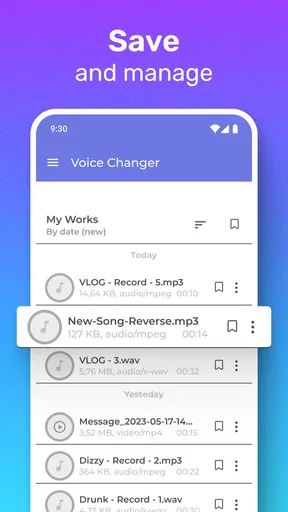
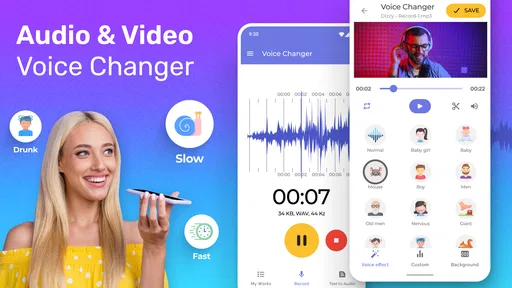
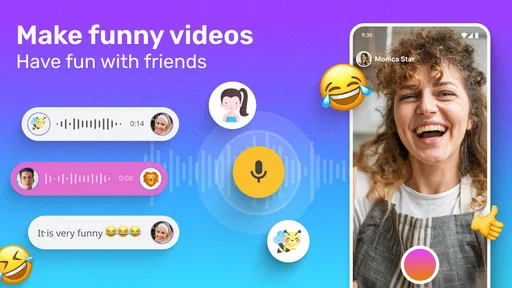
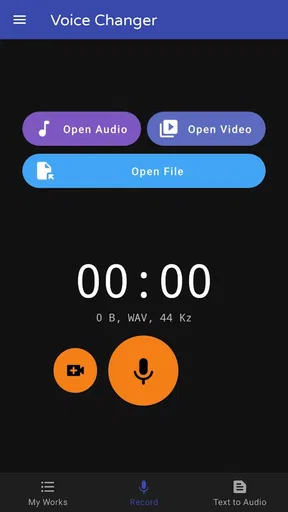
 Analysis by AppCompare
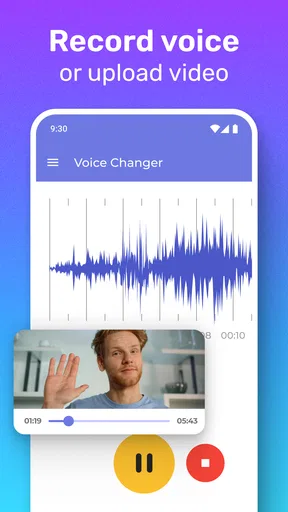
When I want to make a short video more playful, the first thing I need is a quick way to change its voice without turning the job into a full editing project. That is the appeal of Video Voice Editor + Effects: it focuses on voice effects within a video-editing workflow, so the idea is easy to grasp even if you are not a regular editor. I’d reach for it to make a funny clip for friends, add a different vocal character to a casual post, or experiment with a short recording before deciding whether it is worth sharing.
Who this voice-first workflow suits
This is best approached as a creative utility rather than a replacement for a full video suite. If you mostly want to alter the sound of a voice and make a small video edit around it, a focused tool can feel less intimidating than opening a large editor with a timeline full of controls. The trade-off is that people who need precise audio mixing, detailed color work, or a polished multi-scene production may prefer a broader editing app. I would choose this for quick character and effect experiments, not as the foundation for a carefully produced film.
A useful everyday scenario is a short birthday greeting recorded in a noisy moment. I might pick the clearest take, try a voice effect that suits the joke, and trim away the awkward pause at the start or end. The result can feel more personal than adding a generic sticker, while still taking less effort than assembling a complicated edit. For a serious message, though, I would keep the voice natural: an effect can make words harder to understand, and the joke should not get in the way of the message.
Start with the clip, not the effect
My practical advice is to begin by choosing a short clip with speech that is already easy to hear. Voice processing cannot rescue every muffled or distant recording, and adding an effect to unclear speech often makes the problem more noticeable. If you are recording specifically for an edit, speak at a steady distance from the phone and leave a brief pause before and after the line. Those small choices give you room to trim without cutting into the first or last word.
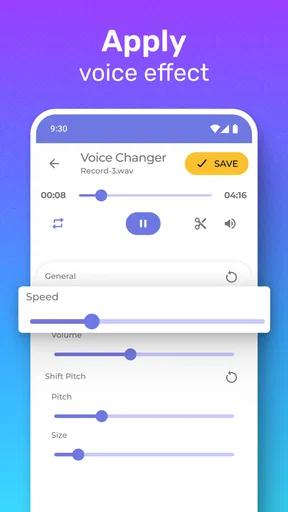
Then work in stages: make the basic cut first, audition a few voice styles, and only keep the one that supports the clip. It is tempting to test every option just because effects are fun, but a single well-matched change usually lands better than several competing ones. Listen to the whole line after applying an effect, not only the first second. A voice can sound amusing at the start and become difficult to follow once the sentence gets longer.
Think about the handoff before sharing
Editing is only part of the job. The finished clip still has to work where you plan to send or post it, and a joke that reads clearly in a quiet room may be less effective on a phone speaker in a busy place. I would replay the export at ordinary listening volume before sharing, especially if the voice effect changes pitch or makes consonants less distinct. If the clip depends on spoken words, captions added in the destination app can help people follow along without changing the audio itself.
There is also a practical distinction between making a clip for a private chat and making one for a public account. For a private message, a rough edge can be part of the charm. For a public post, I would check the framing and sound in the app where it will appear, because the editing app’s result is not the whole viewing experience. Keeping a clean original clip before experimenting is a sensible habit: it gives you a fallback if the effect feels too strong or you later want a more natural version.
Worth Reading Before You Choose

Flipboard Shows What News Apps Must Do Beyond the Feed

Switching to Android Auto Means Rethinking Your Driving Routine

Google Calendar Makes a Crowded Week Easier to Manage

Ludo King Makes the Most of the Minutes Between Plans

Baby Panda World Brings Quick Play to Modern Phones, but Its Game Library Feels Busy

ESPN’s Live Game View Makes Following Close Games Easier
Getting Started with Video Voice Editor + Effects
The first thing you'll notice when you open Video Voice Editor + Effects is its sleek and user-friendly interface. I was able to dive right in without a hitch. The app’s layout is intuitive, making it super easy to navigate even for newbies. I mean, who doesn't love an app that doesn't need a manual to figure out?
Features that Stand Out
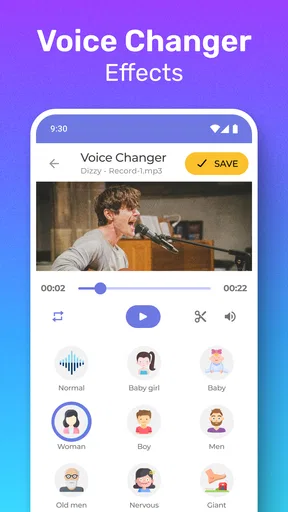
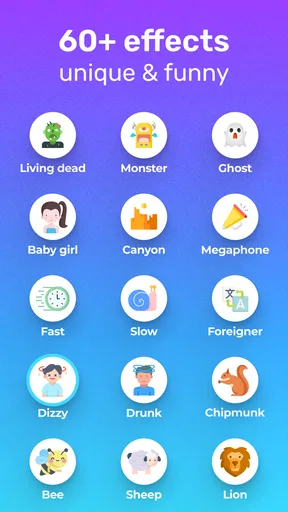
Now, let's talk features. This app is packed with an array of editing tools that let you tweak your videos in numerous ways. You can cut, trim, and merge clips effortlessly. But the real magic happens when you explore the voice editing options. Imagine turning your voice into a chipmunk’s or adding a deep, dramatic effect with just a few taps. It’s not just fun; it’s addictive!
Another cool thing is the effects library. I spent hours playing around with different filters and effects. Want to give your video a vintage look? Easy. Need some dramatic background sounds? Done and done. The sky's the limit with what you can create.
Performance and Usability
Performance-wise, the app runs smoothly on both Android and iOS. I didn’t experience any lag, which is a huge plus, especially when you’re in the zone and editing away. The export quality is top-notch too. Your videos maintain their high resolution, so they look crisp and professional when you share them with the world.
Usability is another area where this app shines. The developers clearly put a lot of thought into making sure every tool is accessible and easy to use. Even if you’ve never edited a video before, you’ll feel like a pro in no time. And if you ever get stuck, there’s a handy help section to guide you through.
Why You’ll Love It
So, why should you give this app a try? Well, for starters, it’s perfect for anyone who wants to add a personal touch to their videos. Whether you’re making content for social media or just having fun with friends, the creative possibilities are endless. Plus, it’s free to download, so you can test the waters without any commitment.
Another reason to love it? The community. You can connect with other users, share your creations, and even pick up tips and tricks to enhance your editing skills. It’s like having a built-in support network of fellow video enthusiasts.
Choosing it over a general editor
Compared with the usual all-purpose video editor, this app’s appeal is its voice-led angle: the task is to shape a vocal moment and make a short clip more entertaining, rather than manage a complex production. A general editor is a better choice when you need detailed control over music levels, transitions, subtitles, or a longer sequence. I would use this app when the voice is the point of the video, then move to a broader editor only if the project grows beyond that simple idea.
It also sits between a basic voice recorder and a full editing suite. A recorder is useful when you only need to capture or alter sound; this app is aimed at working with video as well. That can save a handoff when the clip and voice effect belong together, but it does not mean every project should start here. If your main goal is a clean podcast-style recording or precise audio repair, a dedicated audio tool is likely a more suitable fit.
Cost, compatibility, and a sensible first test
The app is free to install, with optional in-app purchases listed from under a dollar to just under a hundred dollars per item. I would try the basic workflow first and decide whether the available tools suit my needs before spending anything. The wide range means it is worth checking the purchase screen carefully rather than assuming every extra is a small add-on. You can use it on Android from version 6.0 onward; it is rated for Everyone, which makes it approachable for casual family use, though I would still supervise younger children when they are sharing videos publicly.
Firehawk is the developer, and the app has a 4.5 average from around 53,000 ratings, with more than 10 million installs. That scale suggests it has found a sizable audience, but popularity does not guarantee that its particular effects will match your taste. I would treat the first edit as a test: use a short, replaceable clip, compare the altered voice with the original, and check whether the result still sounds clear through your usual headphones or phone speaker. The current version is 1.5.2, so it is also sensible to keep the app current when relying on it for a project.
Where the workflow can fall short
The main limitation is inherent to voice effects: the more dramatically a sound is changed, the more likely it is to lose naturalness or intelligibility. That is fine for a quick gag, but it can be a poor fit for tutorials, interviews, or anything where listeners need to trust the speaker’s tone. Effects can also date a clip or distract from the actual message, so I would use them as a deliberate choice rather than a default finishing step.
Another friction point is expectation. A short store-style promise of voice transformation can make the process sound effortless, but a good outcome still depends on the source clip and the match between effect and delivery. A quiet line with crisp speech gives you more to work with than a recording full of background chatter. If a first attempt sounds muddy, I would record again in a calmer spot before layering on more processing; adding extra effects rarely fixes a weak source.
For a quick, playful video, I find the focused approach appealing. For a project that needs careful sound balance, a consistent visual style, or many scenes joined into a finished story, I would switch to a dedicated editor instead of forcing this app to do every job. That distinction makes it easier to decide before investing time: use it for a fast voice-led idea, and choose a more comprehensive tool when the edit itself becomes the main task.
Final Thoughts
In conclusion, Video Voice Editor + Effects is a must-have app for anyone interested in video editing. Its rich features, coupled with an easy-to-use interface, make it a standout choice in the crowded world of video apps. So, what are you waiting for? Give it a whirl and see where your creativity takes you!
Pros
- Intuitive interface for easy navigation.
- Wide range of voice effects available.
- Supports multiple audio formats.
- Fast processing and export times.
- Regular updates with new features.
Cons
- In-app purchases required for some effects.
- Limited free version capabilities.
- Occasional ads can be intrusive.
- No direct integration with social media.
- Requires internet for full functionality.
FAQs for Video Voice Editor + Effects
What is Video Voice Editor + Effects used for?
Video Voice Editor + Effects is an app designed to help users modify and enhance audio tracks within their video projects. It offers a variety of voice effects, background music options, and editing tools to customize audio, making it ideal for content creators looking to improve their videos with professional-sounding audio.
Can I add background music to my videos using this app?
Yes, Video Voice Editor + Effects allows you to add background music to your videos. The app provides a library of royalty-free tracks that you can use, or you can import your own music files. This feature helps in setting the tone and mood of your video content effectively.
Is Video Voice Editor + Effects suitable for beginners?
Absolutely, the app is designed with an intuitive interface that makes it accessible for beginners. It includes easy-to-follow tutorials and tips, allowing new users to quickly learn how to apply voice effects, add music, and edit audio tracks without prior experience in audio editing.
Are there any in-app purchases or subscriptions required?
While Video Voice Editor + Effects is free to download, some advanced features and effects may require in-app purchases or a subscription. This model allows users to access a basic suite of tools for free, with the option to upgrade for more extensive capabilities suitable for advanced editing needs.
What formats does Video Voice Editor + Effects support for exporting videos?
The app supports multiple video formats for exporting, including popular options like MP4 and MOV. This flexibility ensures compatibility with various platforms and devices, allowing you to share your edited videos easily on social media, video sharing sites, or personal devices.


